
How to Turn User Research Into Clearer Service Pages for a Local Business Website

You turn user research into clearer service pages by sorting what people said and did into three buckets: the questions they ask, the words they use, and the points where they stall. Then you rebuild the page around those answers, in that order. It takes a few focused hours with research you already have, and the only real prerequisite is a willingness to let customers, not your team, decide what the page says.
I learned this the slow way. Early in my career I polished a service page until the copy read beautifully, and the client still got almost no calls from it. When we finally watched five local customers try to use the page, three couldn’t find the service area and two never noticed the booking button. The writing wasn’t the problem. The page was answering questions nobody had asked.
That’s the gap this process closes. If you’re a UX designer, a freelancer, or a small business owner sitting on survey results, interview notes, or analytics you don’t know how to use, the steps below will help you turn them into a page that local customers understand at a glance. Teams at a web design agency in Edmonton work from the same principle: research only matters once it changes what’s on the page.
Key Takeaway: A service page is clear when real people can find what they need quickly, not when the copy sounds good to your team. Test clarity with customers, then revise.
What You Need Before You Start: Research Inputs and Simple Tools

Where Local Business Research Actually Comes From
You don’t need a research budget to find out what confuses people on a service page. Most of what you need is already sitting in your client’s inbox, phone log, and analytics dashboard. Pulling it together is a small piece of any broader UX strategy and here’s where to look first:
- Customer interviews: reveal the exact words people use and what nearly stopped them from booking.
- Front-desk and phone questions: show which answers are missing from the page, since staff repeat them daily.
- Google reviews: highlight what customers praise or complain about, in their own phrasing.
- Search terms (from Search Console or a free keyword tool): expose how people describe the service before they ever reach you.
- Analytics on service page exits: point to the pages where people give up, though not why.
Start with whichever source is easiest to access. Even one of these will surface patterns you can test against the others.
How Much Research Is Enough?
For a small local business, you don’t need a big study. Five to eight customer conversations, paired with the data you already have, will usually show you the main patterns. Reviews, phone logs, and search terms count as research too, so lean on them.
You’ll know you’ve done enough when the same questions and worries keep coming up and new conversations stop surprising you. That repetition is your signal. If every chat still turns up something brand new, or two customers flatly contradict each other, talk to a few more people before you rewrite anything.
Common Pitfalls to Avoid Before You Rewrite Anything
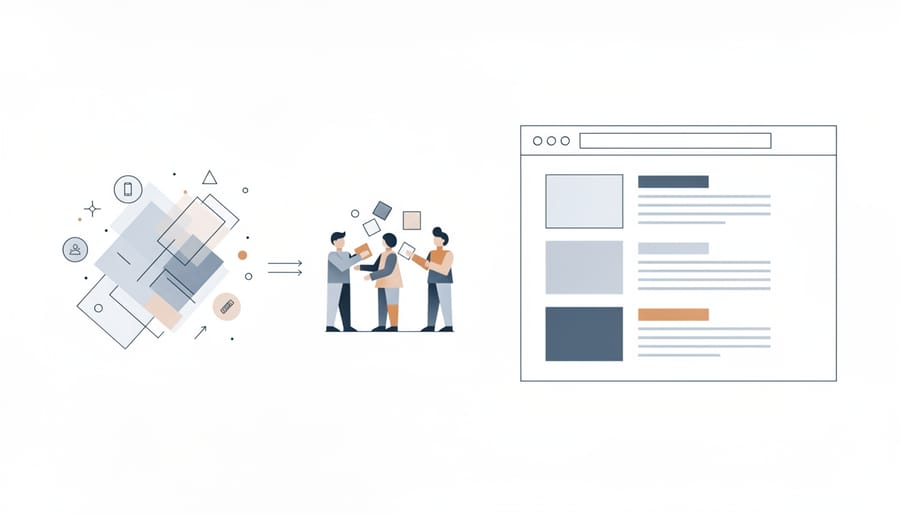
Research can mislead you as easily as it can guide you. Before you touch a headline, watch for a few traps that quietly wreck service pages.
The first is over-trusting one loud customer. A single person with strong opinions can feel like a trend, especially if they said it memorably. Treat a comment as a pattern only after you’ve heard it from at least three different people.
The second is copying competitor pages. Their layout might look polished, but you can’t see their research, their audience, or whether the page even works. Borrowing their structure means borrowing their guesses.
The third is letting the owner’s vocabulary win. Owners live inside their trade, so words like “full-scope remediation” feel normal to them. Your customers said “my basement flooded, now what?” Keep their words.
The fourth is making claims you can’t back up. Pricing, guarantees, response times, and licensing all carry real consequences if they’re wrong.
I learned this one the hard way. Early in my career I rewrote a landscaping page to promise “same-week estimates” because two customers had asked for speed. The owner only did that in spring. Calls came in, expectations broke, and we spent a month cleaning it up. That’s part of what I learned along the way, and I’ve written more about it in what I learned as a UX designer.
Contradictions aren’t failures, either. They usually mean you’ve got two different audiences, which is worth knowing before you write a word.
Step-by-Step: From Raw Research to a Clearer Service Page

Turning Themes Into Page Sections
A local plumbing company’s “Drain Cleaning” page shows how this works in practice. The original page opened with “Comprehensive drainage solutions,” listed six technical methods, and ended with a generic contact link. After clustering the research, three themes stood out: customers asked “Is this going to cost me hundreds?”, they didn’t know whether a clog was an emergency, and several reviews mentioned “he explained what he was doing.” Each theme became a page section.
The pricing worry became a short “What it costs” block explaining how quotes work. The emergency confusion became a “Call us right away if…” list. The review language shaped a “What happens when we arrive” section, written in plain steps. Even the headline changed, from the company’s wording to “Slow or blocked drain? Here’s how we fix it and what you’ll pay.” Working through this with the owner felt a lot like co-designsince the owner could see exactly which customer comment justified each edit.
Here is the sequence that produced those changes, with what you should have in hand after each step:
- Collect and consolidate your notes into one spreadsheet, producing a single raw findings list.
- Cluster findings into themes (questions, objections, language, decision triggers), producing a labeled theme map.
- Write the customer’s core question for each service, producing one plain-language question per page.
- Map each theme to a page section, producing a simple page outline.
- Draft headlines and copy using customers’ own phrases, producing a first-draft page.
- Arrange sections in order (what it is, who it’s for, cost, process, proof, next step), producing a structured wireframe.
- Make the call to action obvious and local, with area served, hours, and booking method, producing a ready-to-review page.
The key habit is traceability. Next to every section, jot down the research note that earned its place. If you can’t point to one, that section probably doesn’t belong yet.
Writing in Your Customers’ Words, Not Yours
Every business has a private vocabulary. The plumber says “hydro-jetting,” the dentist says “restorative consultation,” and the landscaper says “hardscape installation.” Customers, meanwhile, typed things like “my drain keeps backing up” and “fix a chipped front tooth” into search boxes and reviews. Your job is to carry their words onto the page.
Start by pulling a short phrase bank from your research. Scan interview notes and reviews for the exact phrases people repeat, and paste them into a spreadsheet column next to the owner’s term for the same thing. Where the two columns don’t match, the customer’s wording wins.
Here’s how that looks in practice:
– Before: “Comprehensive Drainage Remediation Services.” After: “Slow or Clogged Drains? We Clear Them Fast.”
– Before: “Restorative Dentistry Solutions.” After: “Fix a Cracked or Chipped Tooth.”
– Before: “Hardscape and Outdoor Living Design.” After: “A Patio or Walkway That Fits Your Yard.”
Notice that each “after” headline answers a question a real person asked, in roughly the words they used. Some terms can’t be dropped, though. If the industry word is also what people search for, keep it and explain it right beside the plain version.
Wording choices also affect how easily people read a page. Reading clarity depends on more than vocabulary, and our own typography findings show how small presentation choices change comprehension. Plain words and readable type work best together.
Finally, read each headline aloud. If you wouldn’t say it to a neighbor, rewrite it.
How to Check That the New Page Is Actually Clearer

Simple Validation Methods You Can Run This Week
You don’t need a lab to find out whether a page works. Start with a five-second test: show the page to someone for five seconds, hide it, and ask what the business does and what they’d do next. If they can answer both, it passes. If they guess wrong or draw a blank, your headline or first section still isn’t clear.
Next, give three or four people a task, like finding the price range or how to book, and stay quiet while they look. Passing means they find it within about thirty seconds without hints. Hesitation or scrolling back and forth is your fail signal, and it tells you exactly which section to rework.
For richer input, ask people for goal-based critique rather than general opinions. “Would this page help you decide whether to call?” gets you far more useful answers than “Do you like it?”
Finally, record a short unmoderated session and watch where the cursor stalls. Repeated stalls in the same spot mean the page needs another pass.
What to Do Next
Once the first page is live, treat it as version one, not a finished product. Check your numbers again in a few weeks, note what still confuses people, and make one or two small edits at a time so you can tell what actually helped.
To pick the next page, start with the service that brings in the most revenue or the most confused phone calls. That’s where clearer copy pays off fastest.
Keep a single living research file: new reviews, questions from the front desk, and anything customers say in their own words. Add to it as you go, and your next rewrite starts with real material instead of a blank page.
Questions Designers and Business Owners Ask About Service Page Research
What if the business has no analytics?
You can still learn a lot without them. Reviews, phone and email questions, and a few short customer conversations will show you what people struggle to understand, and you can set up free analytics now so there’s a baseline for next time.
Can I do this without interviewing customers?
Yes, though conversations are the richest source. Existing reviews, front-desk notes, and the search terms people use will surface plenty of real questions and phrasing, so start there and add a few interviews when you can.
How long should a service page be?
Long enough to answer the questions your research turned up, and no longer. For many local services that’s a few hundred words organized under clear headings, with pricing, process, and booking info easy to find.
How do I handle multiple audiences?
Look for the question each group asks first, then lead with what they share. If their needs really differ, give each group its own short section or its own page rather than blending the messages together.
As for how often to revisit all of this, a light check every few months is plenty for most small businesses. Skim new reviews and customer questions, compare them against what the page says, and update only what’s drifted. You don’t need a big research project each time, just the habit of listening.
Clearer service pages rarely come from better writing alone. They come from listening first. When I think back to that local business page that made perfect sense to the owner and left customers scratching their heads, the fix wasn’t clever copy. It was a few honest conversations that showed us which questions people were actually asking and which words they used to ask them.
You don’t need a big research budget or a long timeline to do the same. Pick one service page, the one that matters most to the business. Talk to five or so customers, skim the reviews and phone logs you already have, and look for the patterns. Then rebuild the page around what you heard.
It may feel small, but it adds up quickly. Once one page works better, the process becomes easy to repeat on the next. Start with one page and a few good conversations, and let your customers do the rest.